
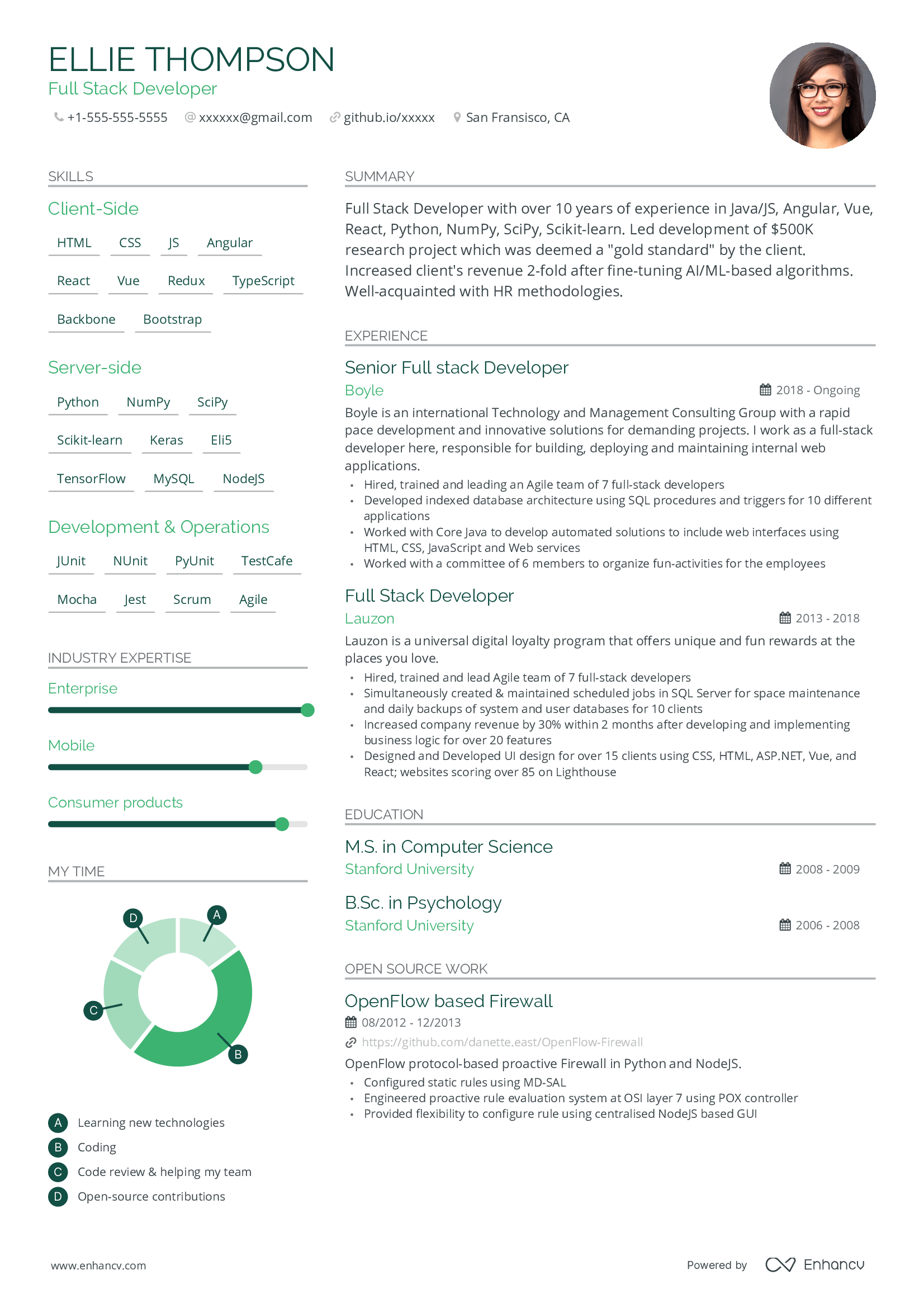
Resume templates make the job search much easier by giving you a clean structure to follow. You do not need to be a designer to create a professional look that catches an employer's eye. A good template lets you focus on your skills while the layout handles the first impression for you.
Most hiring managers look at a CV for only six seconds before they decide to keep it or toss it. Using a clear, modern layout ensures they see your best work right away. It saves you hours of fiddling with margins and font sizes. You can simply download a file, type in your history, and send it off with confidence.
Why a simple layout beats a fancy design
Many people think a resume needs bright colors or complex graphics to stand out. In reality, most big companies use software to scan your application first. If your layout is too busy, the software might get confused and skip your best details. Simple lines and standard fonts are your best friends here.
Think about a friend of mine named Sarah who applied for ten marketing jobs. She used a very colorful template with many images. She got zero calls back. Once she switched to one of our clean professional resume templates, she landed three interviews in one week. The clean look made her experience easy to read.
A good template uses plenty of white space. This makes the text feel less crowded. It helps the reader find your job titles and dates without straining their eyes. Stick to a one or two page limit. Most bosses prefer a short, punchy list over a long book about your life.

How to pick the right resume templates for your industry
The style you choose should match the job you want. If you are applying for a bank or a law firm, stay very traditional. Use black text and a basic serif font like Times New Roman or Georgia. These fields value stability and formal looks above all else.
If you are looking for work in a creative field, you can have a bit more fun. A graphic designer or a social media manager might use a small splash of blue or green. You could use a sans-serif font like Arial or Calibri to look more modern. Just make sure the colors do not make the words hard to see.
Check if the template has clear sections for your contact info. You would be surprised how many people forget to make their phone number easy to find. Your email address should be professional too. Use a version of your name rather than a nickname from high school.
What sections must every template include?
Every good template needs a header with your name in big letters. Below that, add a summary or an objective. This is a two-sentence pitch about who you are. For example, "Hardworking retail manager with five years of experience leading teams to meet sales goals."
The work history section is the meat of the document. List your most recent job first and work backward. Use bullet points instead of long paragraphs. Bullets are easier to scan when someone is in a hurry. Include your education and any special certifications at the bottom.
Actionable tips to fill out your template
Once you have your template, do not just list your duties. Use action words to describe what you did. Instead of saying "responsible for sales," say "increased sales by twenty percent." Numbers and facts prove that you actually did a great job.
Tailor the words to the job post. Look at the skills the company is asking for. If they want someone who knows "customer service," make sure those exact words appear in your bullet points. This helps you pass the automated filters and reach a real human person.
Keep your bullet points short. Aim for about three to five bullets per job. If you stayed at a company for a long time, you can add more. If it was a summer job from ten years ago, one or two lines is enough. You want to show growth and progress over time.
Common mistakes to avoid when using templates
One big mistake is leaving placeholder text in the file. Many templates have "Lorem Ipsum" or fake names as examples. Always double-check every single corner of the page. Sending a resume with someone else's phone number is a quick way to lose a job lead.
Avoid using a photo of yourself unless it is common in your country. In the USA, UK, and Canada, photos are usually a bad idea because of hiring laws. Keep the focus on your talent and what you can do for the company. Save the pictures for your LinkedIn profile.
Do not go too small with the font size. If you have to use a size smaller than ten to fit everything, you have too much text. Cut out the fluff. No one needs to know you won a spelling bee in third grade. Focus on the skills that help you do the job you are applying for today.
Saving and sending your finished document
After you finish typing, save your file as a PDF. This ensures the layout stays exactly the same no matter what computer the boss uses. If you send a Word file, the margins might shift or the fonts might change. A PDF looks the same every time it is opened.
Name the file clearly. Do not just call it "Resume.pdf." Use your full name, like "John_Smith_Resume.pdf." This makes it easy for the recruiter to find your file in their downloads folder later. It shows you are organized and think about the small details.
If you are looking for other ways to stay organized during your job hunt, you might find our guide on How to Use Kids Educational Worksheets for Fun Learning helpful if you are balancing career moves with parenting. Staying productive at home is just as important as the job search itself.
How can I make my resume stand out even more?
Add a section for "Key Skills" near the top. This is a quick list of tools or software you know well. If you are a pro at Excel or Photoshop, put it there. It gives the reader a fast way to see if you have the technical skills they need.
Include a link to your online portfolio or your LinkedIn page. If you have work you can show, like writing samples or design projects, let them see it. A link is a great way to provide more info without cluttering up your one-page resume template.
Ask a friend to read it over before you hit send. We often miss our own typos after looking at a screen for hours. A fresh pair of eyes can catch a misspelled word or a wrong date. Even one small error can make you look like you do not care about the details.
Using templates for different career levels
If you are a student or a recent grad, your template should focus on your education. Put your degree and your GPA at the top. List any internships, volunteer work, or school clubs. These show that you have a good work ethic even if you have not had a full-time job yet.
For those with many years of experience, a two-page template is fine. Use the extra space to show how you have moved up in your career. Show that you have taken on more responsibility with each new role. Mention how you managed budgets or led teams of people.
If you are changing careers, use a template that highlights your skills rather than just your dates of work. This is called a functional resume. It groups your talents into categories like "Management" or "Communication." This helps a boss see how your old skills fit a new type of job.
Final thoughts on picking your template
The goal of a resume is to get an interview. It is a marketing tool for you. A clean and professional template does the hard work of making you look like the right fit for the team. Don't overthink the design. Focus on the words and the facts of your success.
Keep a master version of your resume that has every job you ever had. When you apply for a specific role, copy the parts that fit best into a fresh template. This saves you from rewriting everything every time. You can have a polished application ready in just a few minutes.
Are you ready to update your resume today? Take a look at your current version and see if it feels old or messy. A fresh start with a new layout might be just what you need to get that next big call. Which part of your work history are you most proud of? Make sure that stands out first.